CareConnect Caregiver
Version 1.2.11 · Android 8.0 or newer
Download and install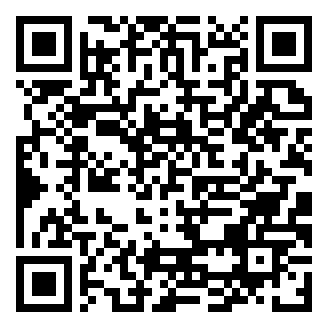
Installing
- Tap the button above, or scan the code with the phone's camera.
- Android will ask whether to allow installing from this source. Allow it — the app is not on the Play Store.
- Open CareConnect and sign in with your normal username and password.
Sign in once with a signal. The first sign-in has to be somewhere with internet. After that the
app works with no signal at all — clock in and out, breaks, care tasks, visit and meeting notes,
incident reports and signatures are all kept on the phone and sent to the office by themselves when a
signal comes back. Nothing you record is lost while you are out of range.
Checksum
SHA-256: e69dc124daa36e0939788bc38285ff8e423cd6293d2cb254b64b38ca38d8ca7f
New in 1.2.11
- Incident type and severity selections now highlight immediately when tapped.
- Your incident selections stay selected when the screen rotates and match the saved report.
Also included
- Tick off the visit's care tasks, including the ones required for EVV
- Report an incident from the field, with your signature and your location
- Meeting notes — for a care conference, a family meeting or a supervisor visit
- Start and end a break
- Sign in with no signal once the phone has been used online
Install this update over your existing CareConnect app to keep its saved data.